



AI Photo Editing Software for Retouching and Filters without a Subscription and without Cloud
Retouching, color correction, filters, text and AI tools come together in one program for every photo.MKGpics AI PHOTO EDITOR is AI photo editing software for the PC that starts its AI functions straight from the editor. No subscription is needed, and no ongoing costs arise.

The program edits photos with AI: it removes objects, cuts out backgrounds, replaces skies, colorizes black and white photos, blurs backgrounds, sharpens, denoises and enlarges.
Everything Included in AI Photo Editing Software
- AI background removal with clean edges
- AI object cutouts from any photo
- AI bokeh effect with soft background depth
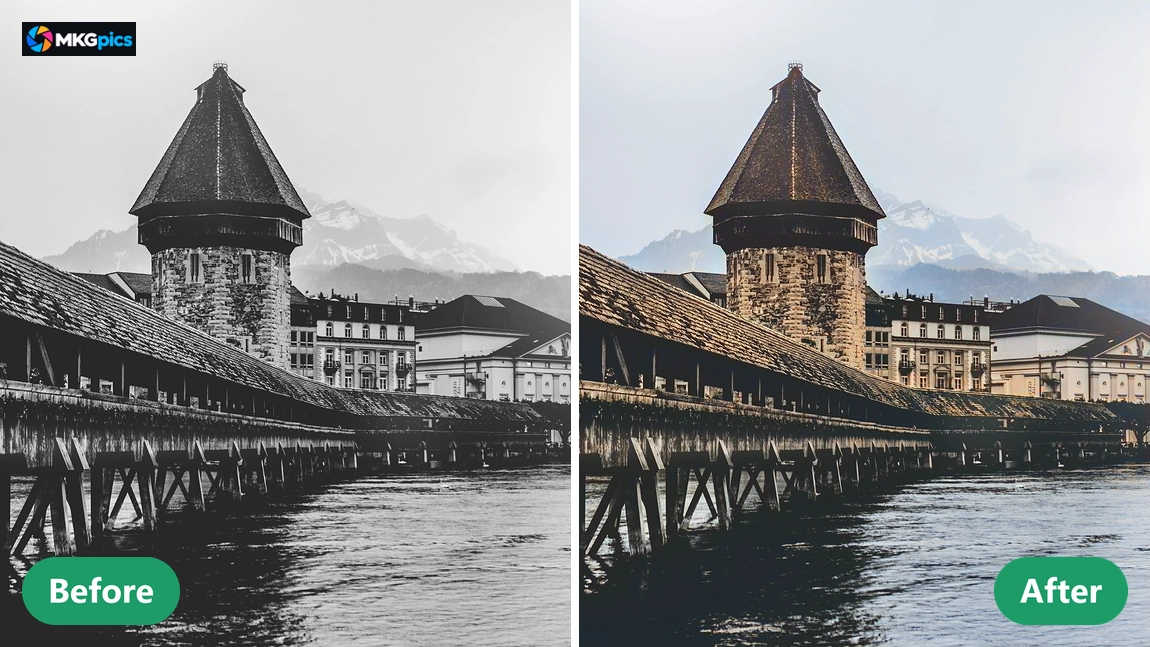
- Colorize old photos with AI
- Remove image noise with AI
- Remove objects from photos with AI
- Remove people from photos with AI
- Insert objects into other photos with AI
- Sharpen soft photos with AI
- Replace dull skies with AI
- Upscale small photos with AI
- All calculations run on the PC, no cloud involved
- Rotate, flip, straighten and crop with fixed aspect ratios
- Twelve sliders for light, color, sharpness, vignette and grain
- Auto enhance, filter presets, HDR, black and white and sepia
- Clone stamp, repair brush, smoothing, dodge and brush sharpening
- Text, logo, brush, arrows, shapes and red eye correction
- Before and after slider, zoom, undo and redo
- Save as PNG, JPG, WebP, TIFF or PDF with quality choice
- Relies on up to date Python AI libraries installed locally, AI use without any costs
- Use without a subscription and without recurring costs
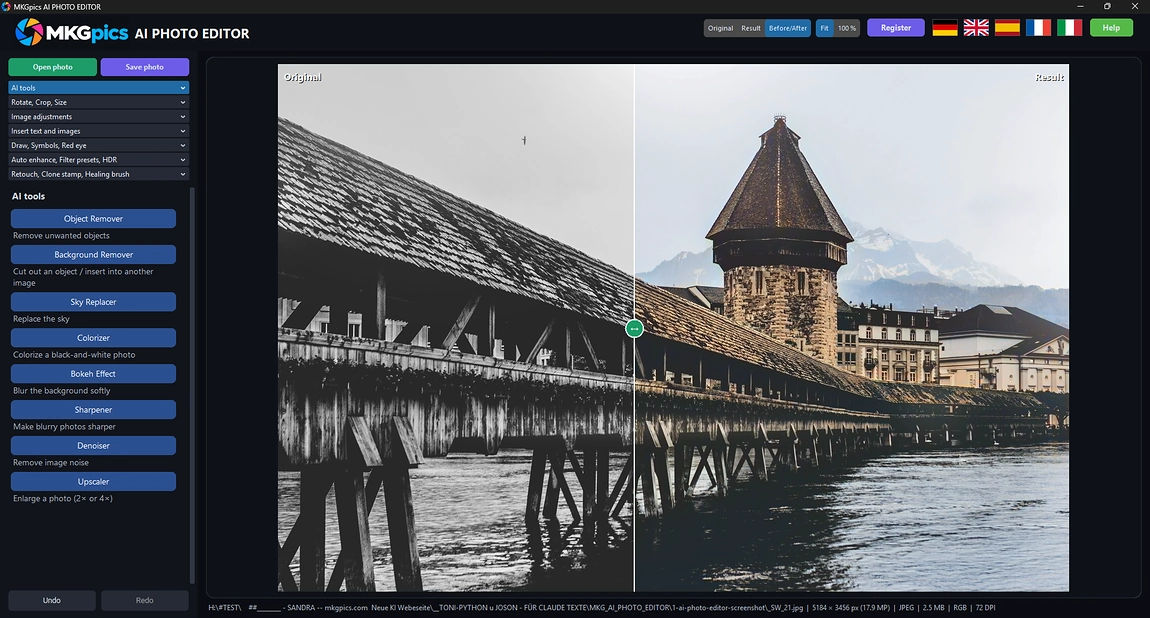
Every AI Tool Built into the AI Photo Editor
Remove Backgrounds with AI
The AI recognizes the subject and separates it from the background, even along fine edges such as hair and fabric. What remains is a subject on a transparent ground, which a brush refines. This delivers clean edges for product photos, portraits and profile pictures.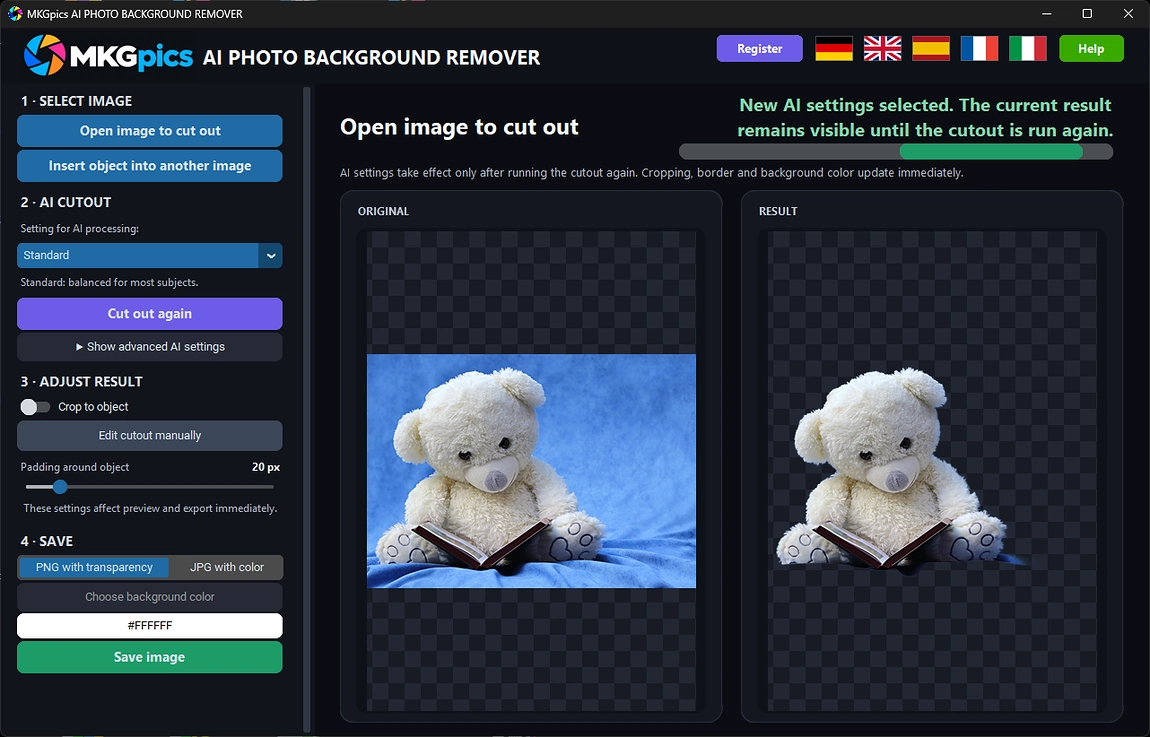
Object Cutouts with AI
When an object is cut out, only the wanted motif stays and everything else disappears. The result is saved as a PNG with transparency and reused in ads, shop images or presentations. Anyone who needs several objects separately edits each photo on its own and keeps full control.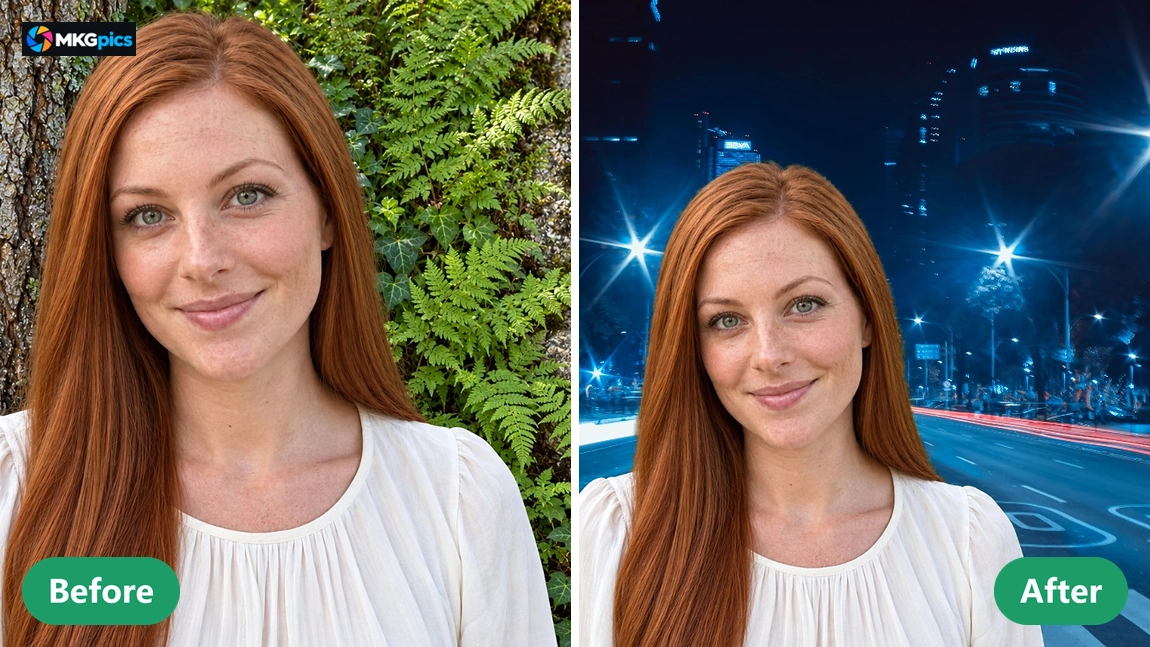
AI Bokeh Effect
Every image part gets a distance estimate, and the background is rendered softer the farther away it is. The subject stays sharp, and background lights turn into round discs. With this AI photo editing software, phone photos and compact camera shots gain the depth of a portrait lens.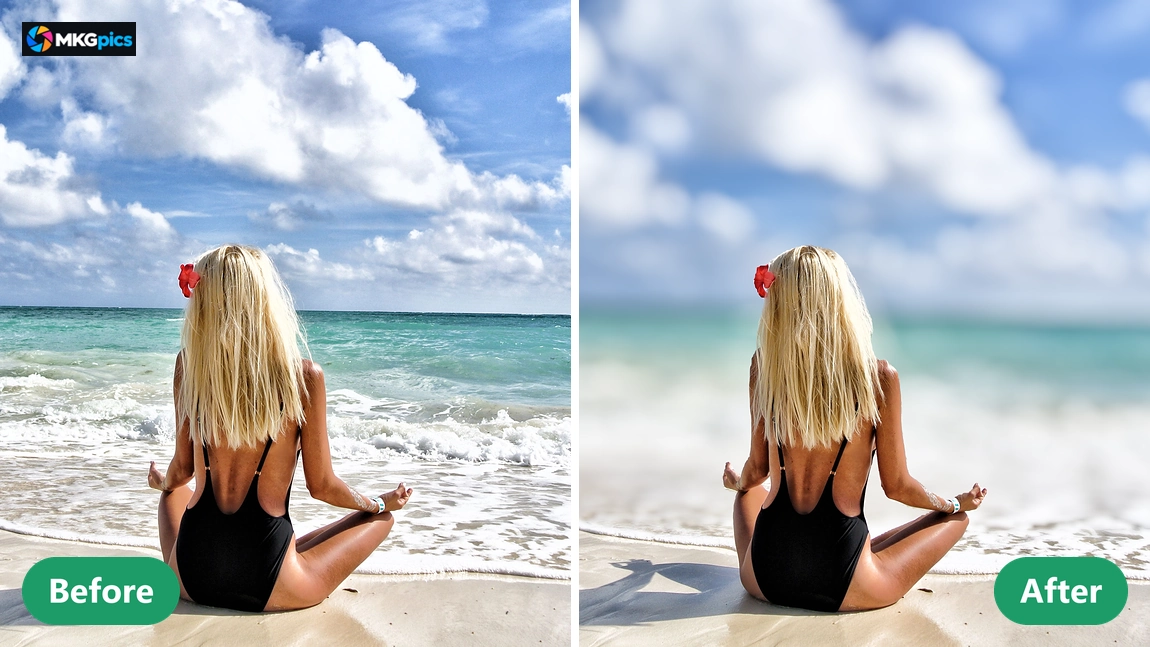
Colorize Old Photos with AI
Black and white photos receive natural colors for skin, sky, plants and clothing. Brightness and details of the original stay intact, and only the color is added. Private pictures, historic views and scanned prints look livelier and are easier to place.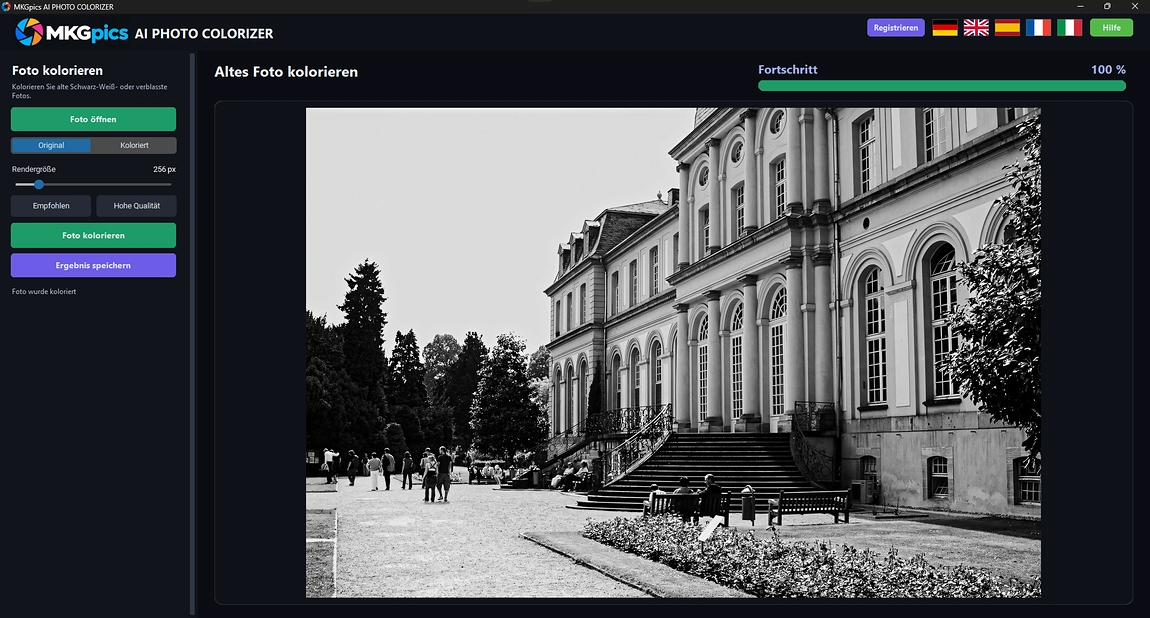
Remove Image Noise with AI
The grain in dark shots, interiors and concert photos disappears without skin and textures looking too smooth. Real details survive, because noise is separated from them and fine structures stay standing. Night shots and photos taken at high ISO become usable again in the AI photo editor.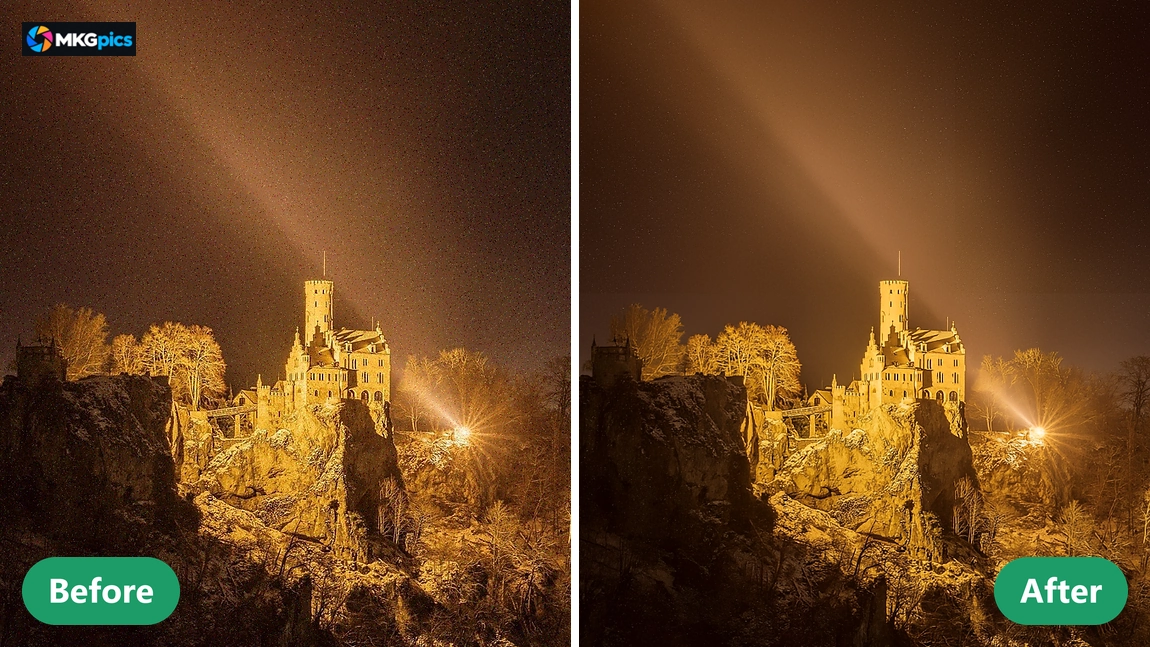
Remove Objects from Photos with AI
Cables, trash cans, signs and other distractions are marked and removed from the picture by the AI. The gap fills with matching structure, color and lighting from the surroundings, so no traces remain. Vacation photos and real estate pictures gain calm as a result.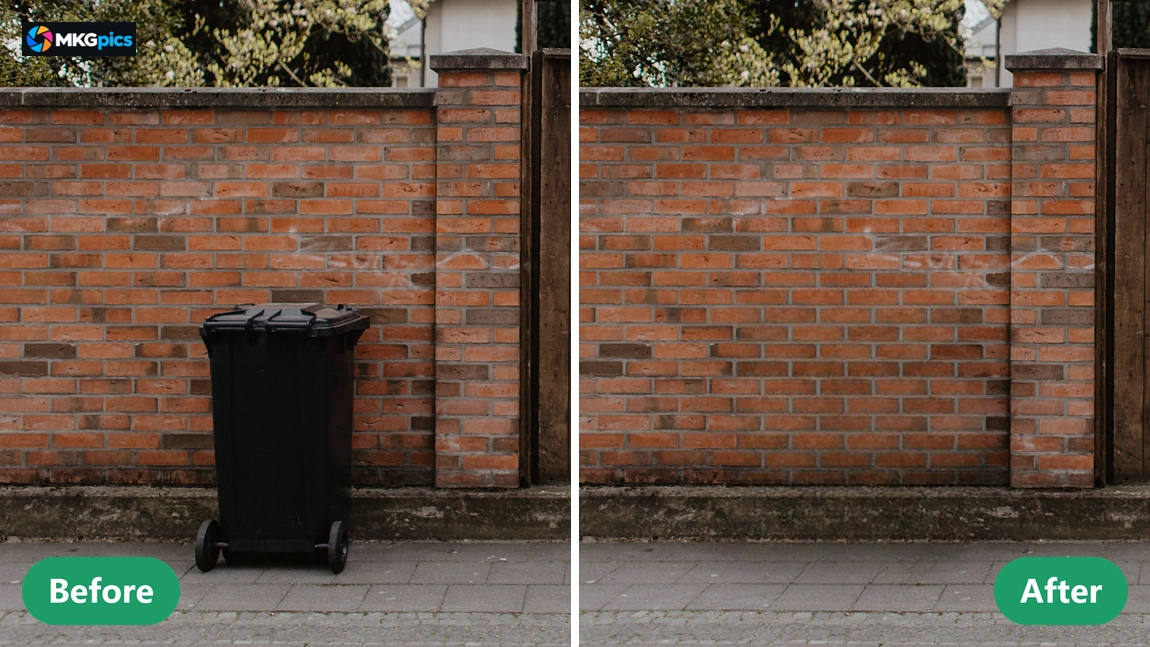
Remove People from Photos with AI
Strangers walking through the frame disappear with a single brush stroke. The background behind the person, such as pavement, lawn or facade, is rebuilt by the AI. A photo that is otherwise successful does not have to be taken again, and AI photo editing software finishes the job.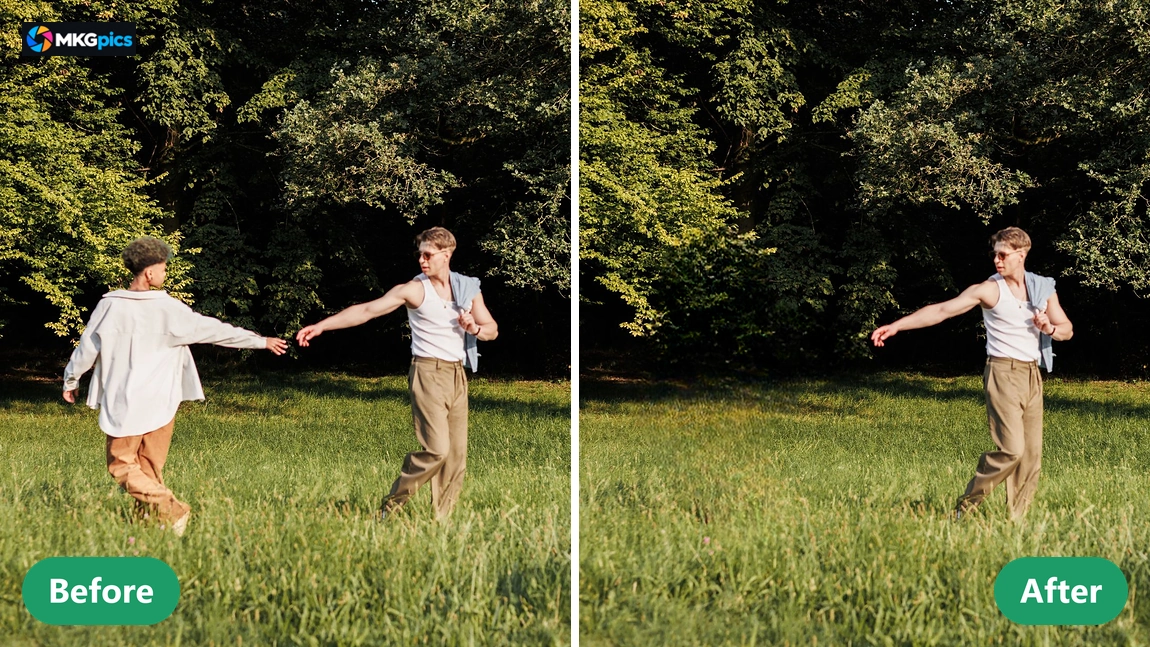
Insert Objects into Other Photos with AI
A cut-out object is placed as an image into another photo. Size, position and opacity are adjustable so that the object blends into its new surroundings. For montages, product scenes and collages, a single program covers everything from cutting out to saving.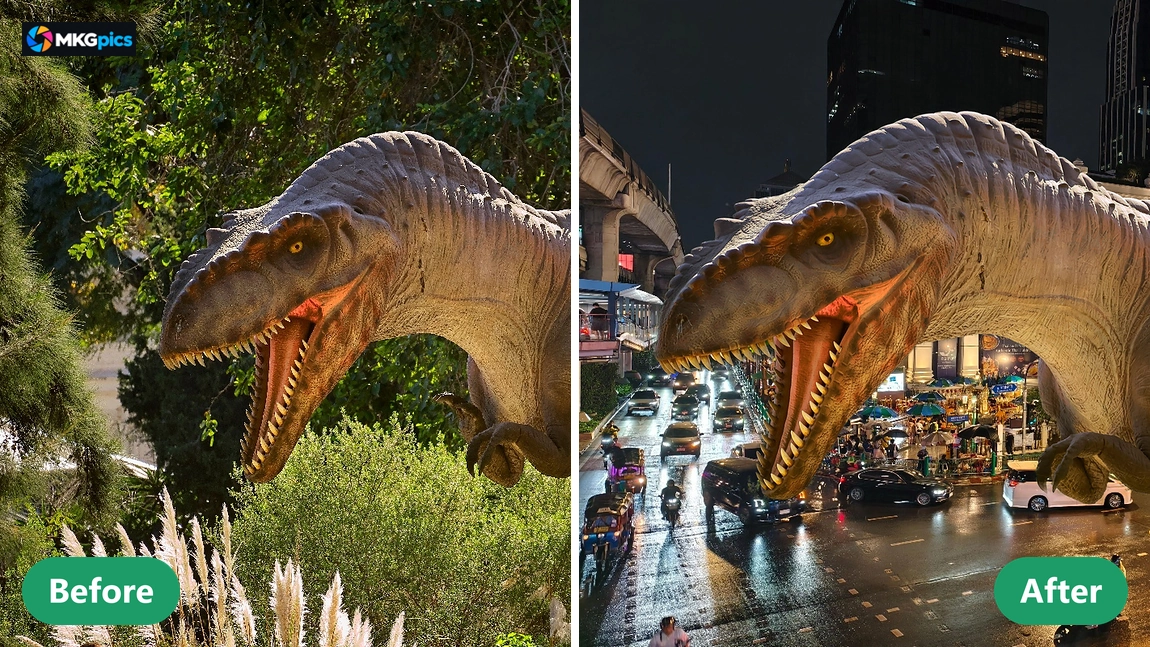
Sharpen Photos with AI
In soft images, fine structures such as eyelashes, fur, fabric and lettering are rebuilt instead of just boosting edges. That avoids harsh outlines and rough borders. Slightly blurred or out-of-focus photos hold up again on screen and in print.
Replace Skies with AI
A gray or blown-out sky is replaced by a new one with better light. The AI detects the horizon line, even between branches and buildings, and adjusts brightness and color tone of the foreground. Outdoor scenes, real estate photos and vacation pictures gain mood.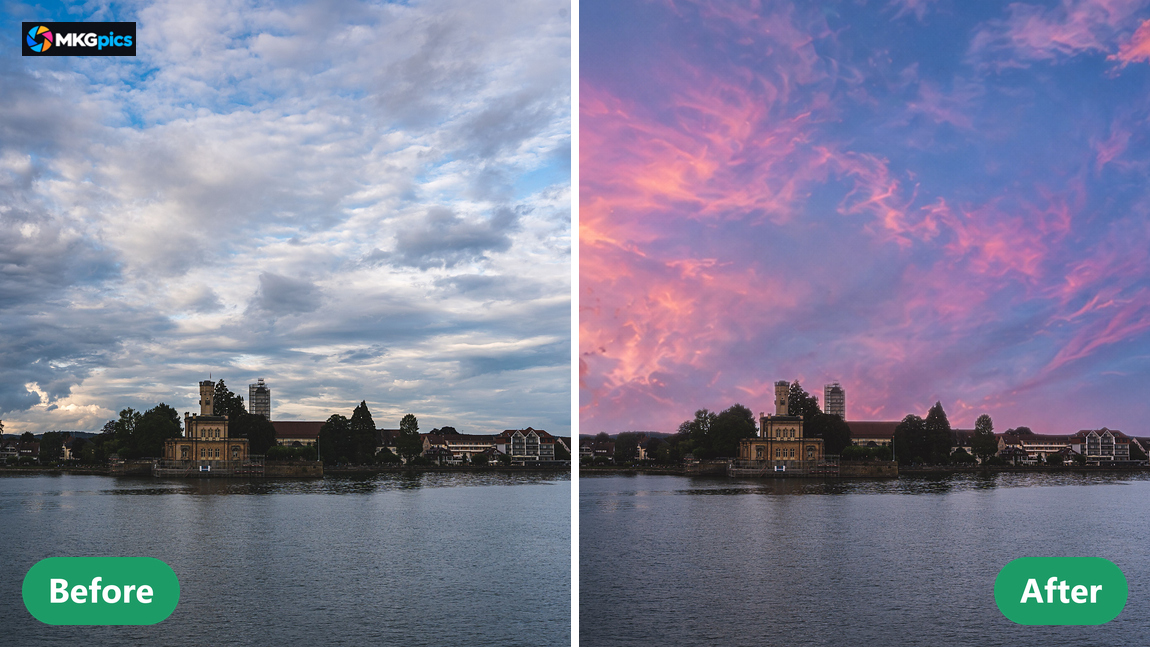
Upscale Photos with AI
Small photos are enlarged to double or four times the pixel count without visible stair steps and softness. The AI adds details that simple enlarging leaves out. Even small pictures then suit large prints, posters and high resolution screens.
Is MKGpics AI PHOTO EDITOR the Right Fit for You?
The program is made for everyone who wants to improve, retouch and design photos on their own.Photos stay private, because the AI runs on the PC and nothing is uploaded or used to train models. Companies, offices and schools choose AI photo editing software that keeps every image in house, while hobby photographers, bloggers and creatives work with it privately.
- Photographers improve light, color and sharpness and retouch skin blemishes.
- Online sellers crop product photos, clear away distractions and cut out objects.
- Bloggers and editors place text, logos and arrows in post pictures.
- Collectors restore old black and white photos, colorize them and remove noise.
- Creatives design posters and photo series with filters, HDR and new skies.
- Beginners, hobby photographers, professionals and designers find every function from crop to export in one editor.
What the AI Photo Editing Software Covers in One Place
The AI photo editor gathers the key tools in one place and explains every step clearly.The main tasks are cropping, light and color, retouching, text and filters, extended by AI functions for objects, skies, backgrounds, sharpness and noise. Clearly named tabs and a large preview keep everything in one interface.
Example: a night photo of a city street shows grain and soft details. The AI tools remove the noise, sharpen the lettering on the signs and enlarge the picture for a print, and the preview compares original and result before saving.
Auto enhance corrects contrast, color cast and saturation with one click, and exposure, highlights and shadows then adjust every detail.
The range of functions includes clone stamp, repair brush, red eye correction, HDR in four levels and text with curved lettering. This adds up to one continuous workflow from crop to finished export.
Example: an old print arrives as a faded black and white scan. The AI colorizes it, a sharpening pass brings back the outlines of faces, and the result is saved as JPG for the album.
Working Through the AI Photo Editor from Crop to Export
What is done with AI photo editing software in practice? Open or drag in a photo, adjust crop and color, remove distracting objects with AI, swap the sky and compare the result directly with the original before saving.Dark shots, color casts, crooked horizons, noise, blurry images and unwanted people in the background are the problems it solves. Photos open as PNG, JPG, JPEG, WebP or BMP, and the result is saved in five formats, with its own quality setting if wanted.
Download AI photo editing software for free now
The editor bundles its functions in clear tabs without nested menus. Editing photos with an AI photo editor takes four steps: open the photo, choose a tab, preview and apply the change, save the result, with no detour through technical terms.
Every step is undoable, and the effect of a change shows directly in the image. Vacation photos, portraits, product shots, blog images and posters benefit from this.
Open AI Photo Editing Software and Start Editing
One click on Open Photo starts the editing, because nothing has to be prepared beforehand.Three steps are enough for a better picture: open a photo, choose Auto Enhance or a filter preset, and save. All other adjustments are optional, so the photo stays unchanged at first and every setting shows at once.
While working with the AI photo editor, tabs for AI tools, image, color, text, drawing, filters and retouching group the functions. The large preview compares original and result at any time.
» Download free now
Every change appears in the preview at once and stays reversible before it is applied.
The Image Adjustments tab offers brightness, contrast, exposure, highlights, shadows, temperature, saturation, vibrance, sharpness, blur, vignette and grain. The Rotate, Crop, Resize tab adds angle, aspect ratio and new dimensions with a locked ratio for undistorted photos.
Editing stays clear, with the tabs on the left and the large preview on the right.
Projects for the AI Photo Editor
From a quick correction to full image design, every route leads through the opened photo into a tab.The AI photo editor handles vacation photos, portraits, real estate pictures, product shots and scanned old prints. For portraits, the brush smooths skin and the repair brush matches blemishes to their surroundings, while HDR and a new sky give outdoor scenes impact.
» Free download here
Anyone who does not want a heavy editor with layers gets a program with clear tabs for correction, retouching and design.
For posts and posters, the AI photo editing software sets text with font choice, outline, shadow, rotation and curve, plus logos with adjustable opacity, into the photo. Arrows, frames and shapes mark details, and red eyes vanish with one click on the pupil.
Help with AI Photo Editing Software
What does the AI photo editing software do?
It retouches, corrects colors, applies filters, places text and logos, and starts AI tools directly from the editor.
Is the original overwritten when I save?
No. Edited photos are saved as new files, and the original stays untouched.
Is there a subscription for the AI photo editor?
No, there is neither a subscription nor any ongoing cost. The program is provided as a free download for the PC.
Who is the AI photo editor suited for?
For photographers, online sellers, bloggers, hobbyists, creatives, companies, offices and schools that want to edit photos with AI and keep their images on their own PC.
Which AI functions does the editor offer?
AI tools remove objects and people, create object cutouts, swap the sky, colorize black and white photos, soften backgrounds, sharpen photos, remove noise and enlarge photos by a factor of two or four.
Which file formats does the editor support?
PNG, JPG, JPEG, WebP and BMP open in the editor. Saving works in five formats, including PNG, JPG and PDF, with optional EXIF data and its own quality setting.
Does AI photo editing software work without internet?
Yes, the calculation runs locally on the PC, photos are not uploaded and stay on the computer, and the program works offline.
Are there undo and a before and after comparison?
Yes, several steps are undone and repeated, and the before and after comparison fades the original over the result so every change becomes visible.