



Batch AI Photo Colorizer for Black and White Photos without a Subscription
Black and white or faded photos receive natural colors folder after folder and come out as PNG or JPG.Piles of scans come back as colorful copies with MKGpics AI BATCH PHOTO COLORIZER, a batch AI photo colorizer and a real batch program. The pictures are processed one by one without further clicks, and the program needs no subscription and causes no ongoing costs.

Use it to colorize black and white photos in batches, from a single album up to a complete archive of scans.
Inside the Batch AI Photo Colorizer
- Colorizes many photos automatically in one run
- Handles black and white and faded originals
- Keeps brightness and detail of the original photo
- Quality levels Recommended, High quality and Highest quality
- Render size from 128 to 1024 pixels
- Saves PNG or high quality JPG
- Opens PNG, JPG, JPEG, WebP, BMP and TIFF
- Loads a complete folder after one selected file
- Adds the suffix _colorized to every result
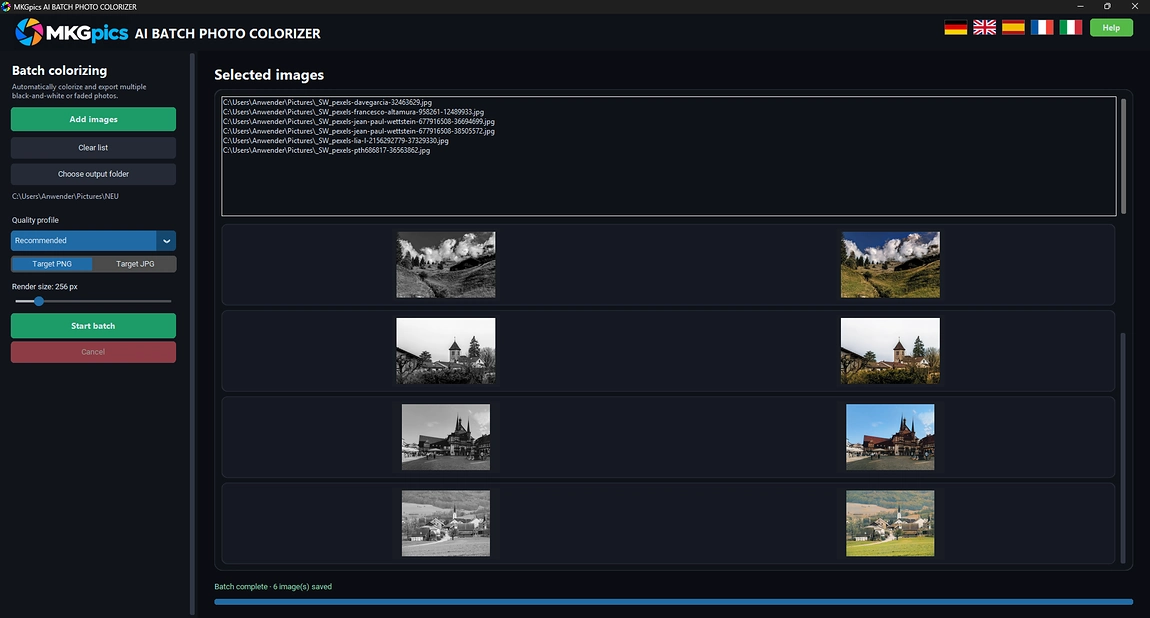
- Live preview with original and result next to each other
- Refuses the source folder as output target
- Stops after the current image on request
- Collects failed files in one report
- Cutting edge Python AI libraries run on the own computer, so the AI costs nothing
- Calculates on your own PC without an upload
Archivists and Collectors Using MKGpics AI BATCH PHOTO COLORIZER
It is made for everyone who owns old photos in bulk and wants color without retouching each one.The AI calculates on the PC itself, so private pictures are never uploaded and never train a model. That makes the program a safe pick for archives and studios.
- Collectors revive old portraits and holiday albums in color.
- Genealogists color historic photos from scanned shoeboxes and certificates.
- Local historians and museums prepare archive images for displays and books.
- Publishers and authors add color to historic photos for print and web.
- Scan services and photographers deliver colorized versions of entire customer orders.
- Beginners start with the preset, while hobby photographers, professionals and designers pick the quality level themselves.
What the Batch Colorizer Does with Black and White Archives
The program accepts whole folders, preserves photo detail and keeps the source files safe.The program loads the list once, works through it alone.
Example: a club digitizes its old photo albums. The scans go into one folder, one setting colorizes the entire series, and the results appear as PNG or JPG in a separate output folder.
Which quality level fits? Recommended is the fast standard level, High quality adds more depth, and Highest quality renders the most detail for portraits and key archive pieces. The render size tunes the level further in small steps.
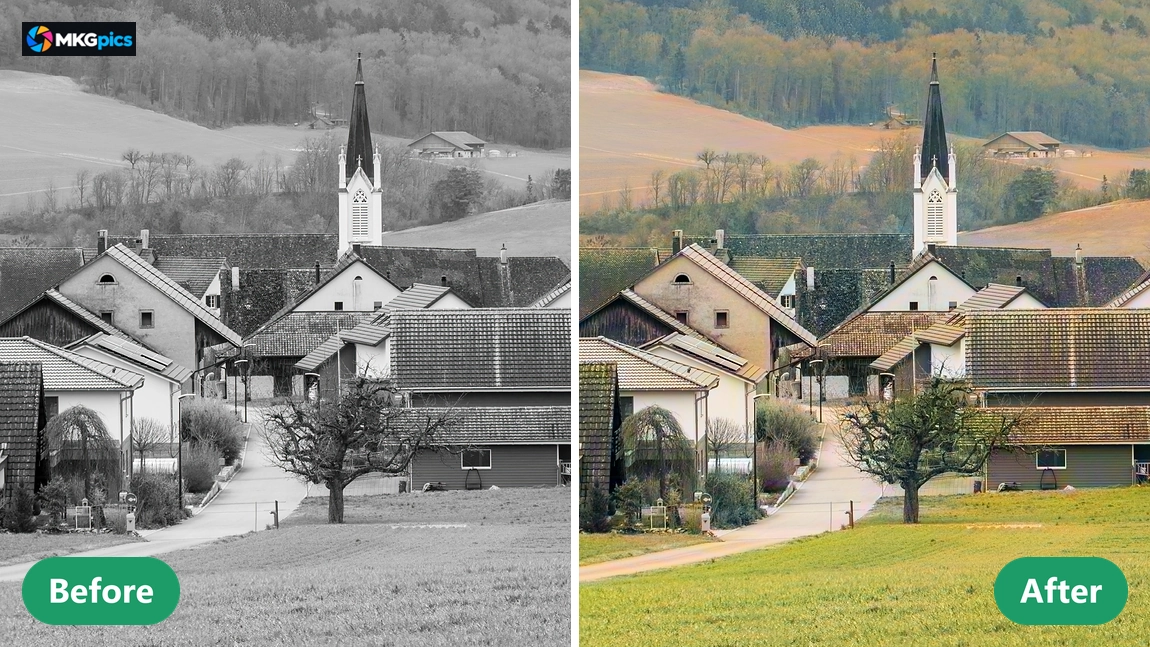
Brightness and detail come from the original, and the AI only supplies color. Faces, textures and film grain stay as photographed, which suits historic material better than loud colors.
Example: one scan in the series cannot be processed. It is noted in a report at the end, and all remaining images carry on. PNG stores every pixel without loss for archives, while JPG in high quality gives much smaller files for a mail.
Batch Colorize Black and White Photos AI in Practice
Reading the folder, the batch AI photo colorizer applies the chosen quality level to each image and writes the result in the chosen format. Selecting one single file is enough, because the program then offers to load all pictures from the same folder.Portraits, wedding pictures, street scenes, buildings and scanned prints are typical material. TIFF scans from flatbed scanners work as well as JPG files from phones, and the colorized copies are saved as PNG or JPG with the suffix _colorized.
Batch AI photo colorizer download free here
The AI colorizes every picture without layers and masks: it runs down the list, marks the current image and shows each finished photo in the preview at once.
Original and colorized version sit next to each other in the preview, so the look is judged during the run. Albums and scan folders are completed in one run.
From First Scan to a Colorized Folder
Loading photos is the only real setup, because defaults for the first run are already in place.Four steps lead to results: add photos, pick an output folder, choose quality level and format, press Start batch. Recommended quality and PNG are preselected, so the first run works right away without opening any setting.
Quality, format and render size sit in one sidebar, while list and preview fill the main area. Clear list prepares the next folder in one click.
» Free download now
The run ends after the current image, and every photo saved up to that point stays put.
After a clean run, one button opens the output folder with all colorized photos. Failed files appear in a list, and everything else is already saved. The suffix _colorized keeps the results sorted next to the originals.
The calculation happens on your own PC only. No photo is uploaded, and none trains a model.
Where Colorizing Old Photos Pays Off
Photo albums, museum archives and book projects: pick one setting and the AI works through the series.The batch AI photo colorizer handles portraits, group pictures, wedding photos, street scenes, buildings and mountain views. Recommended fits mixed series, High quality adds depth to faces, and Highest quality brings fine detail for prints, books and exhibition pieces.
» Download free here
With two hundred scanned photos, the job is simple: load the folder, select JPG, start. All pictures share one setting, so the look stays uniform, and a batch run needs nothing but the download.
Genealogy projects, local history books, websites and print products all receive finished PNG or JPG files. One run colorizes the whole series and leaves a tidy output folder beside the untouched originals.
Batch AI Photo Colorizer Answers
What does the batch AI photo colorizer do?
It colors black and white and faded photos in one pass, offers three quality levels and an adjustable render size, and saves PNG or JPG while a preview shows each result.
Is it a batch program or single photo only?
It is a batch program. Any number of photos or folders run through the AI in sequence, and each colorized copy is stored separately in the output folder.
Do I need a subscription for it?
No. There is no subscription and there are no ongoing costs. The program is a free download for the PC and works locally after installation.
How to batch colorize black and white photos AI based?
Add the photos, choose the output folder, set quality level and format, then start. The AI colors each image on the list and stores it.
Which quality levels does the program offer?
Recommended for fast results, High quality for more depth and Highest quality for maximum detail. The render size also moves between 128 and 1024 pixels.
Which file formats work for input and output?
PNG, JPG, JPEG, WebP, BMP and TIFF open in the program. Results are written as PNG or as high quality JPG with the suffix _colorized.
Does the batch AI photo colorizer upload my photos?
No. The AI calculates on your own PC, so photos never leave it and never train a model.
Can I stop a batch that is already running?
Yes. The run stops after the current image, finished photos remain saved, and files that failed are listed together at the end.