



AI Background Remover for Products and Portraits without Cloud
Hair, fur and product edges separate cleanly from the background, and the cutout is ready for shops, layouts and collages.Hair, fur, glass and product edges are cut loose from the background with MKGpics AI PHOTO BACKGROUND REMOVER, an AI background remover that runs on the PC. A brush refines the edges, the finished cutout moves into another picture, and neither a subscription nor ongoing costs are involved.

What the AI Background Remover Delivers
- AI background remover for people, pets and products
- Three AI profiles: Standard, Fine details and Clean edges
- Fine details profile keeps hair, fur and delicate structures
- Clean edges profile cuts products with firm outlines
- Advanced AI settings for foreground, background and silhouette
- Contour refinement softens transitions at hair and borders
- Mask editor with a brush to keep or remove single areas
- Crop to the object with a margin of 0 to 150 pixels
- Output as PNG with transparency, PNG with mask or JPG
- Image compositing places the cutout into another photo
- Size, position, rotation and opacity of the cutout adjustable
- Opens PNG, JPG, JPEG, WebP and BMP files
- Calculation runs locally on the PC, nothing is uploaded
- Local Python AI libraries do the cutting, so the AI costs nothing
- No subscription and no ongoing costs
People Who Rely on MKGpics AI PHOTO BACKGROUND REMOVER
It serves everyone who wants single subjects freed from their background and reused somewhere else.Photos stay private, because the AI runs locally on the PC and nothing is ever uploaded or used to train a model. Companies, agencies and schools keep every picture in house.
- Online sellers cut out product photos for shops and marketplaces.
- Photographers deliver portraits and groups as finished cutouts.
- Designers gain transparent PNG files for layouts, banners and posters.
- Social media creators put subjects in front of new scenes.
- Parents, clubs and schools make application photos and collages.
- Beginners, hobby photographers, professionals and designers cut out subjects equally well with the AI background remover.
Qualities of a Clean Cutout
Good results show clean edges, clear settings and tools for the final touch.How does the AI treat a dog with fluffy fur or a bottle with sharp edges? Each subject type has its own profile. Fine details keeps single hairs and thin structures, Clean edges draws firm outlines around bottles, shoes and furniture, and Standard covers general subjects. The preview shows within seconds whether an edge holds.
Example: a seller photographs a ceramic mug on a kitchen table. Clean edges separates the handle and the rim from the wood, the cutout is saved as PNG with transparency, and the mug lands on a white shop background without a rough border.
What if one spot is wrong? The mask editor with the Keep and Remove brushes repairs small errors, such as a strand of hair that was cut off, without restarting the cutout. Brush size and hardness set softness and reach, and 30 undo steps make every correction safe.
Which format fits which job? A shop needs PNG with transparency, a catalog needs JPG with a colored background, and layout work profits from the mask saved as a separate file. Cropping to the object with a margin of 0 to 150 pixels removes empty space in all three cases.
Example: a portrait for an application form needs a plain blue background. The person is cut out and the file is saved as JPG with the chosen background color.
Workflow Steps from Opened Photo to Final Cutout
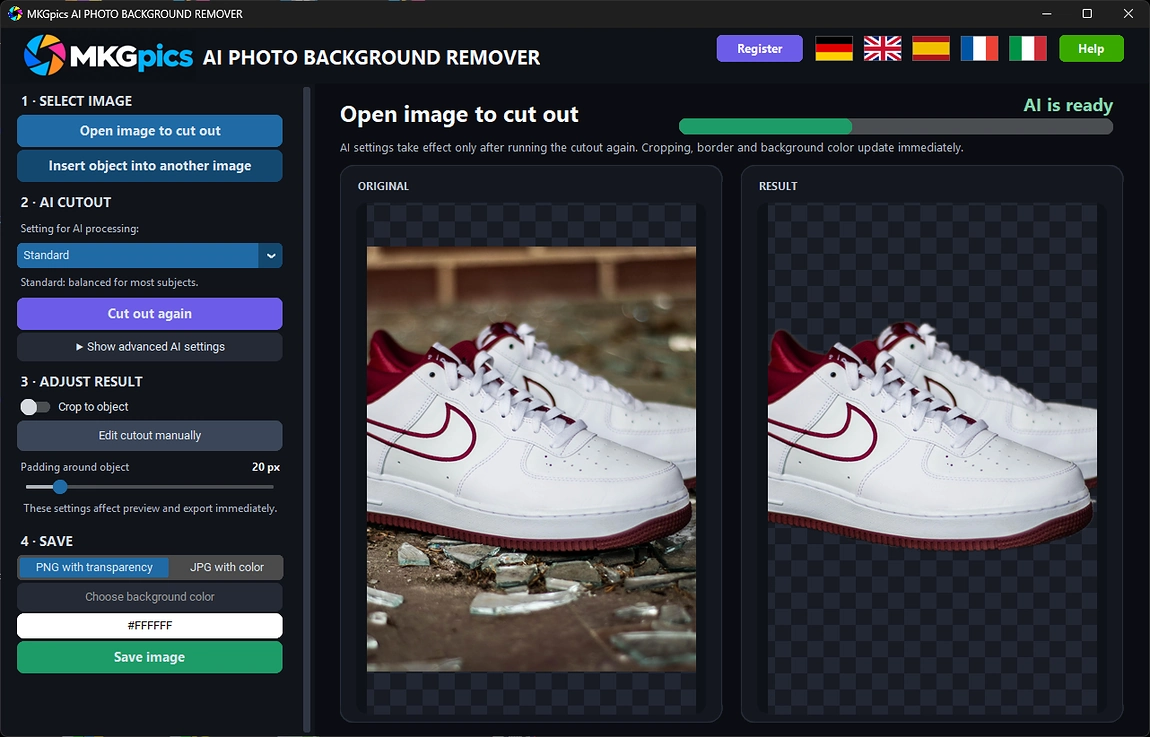
Open a photo, choose an AI profile and start the cutout. The preview then shows transparency or the wanted background color, and a quick touch-up with the brush follows if an edge needs help before the file is saved.The program opens PNG, JPG, JPEG, WebP and BMP files. Results are saved as PNG with transparency, as PNG with mask or as JPG with the chosen background color. The original photo stays protected, because the program never overwrites it.
AI background remover free download here
Layers and selection brushes are not needed, because the AI finds the subject by itself. Only the fine correction needs the brush, and even that stays optional for clean subjects.
New AI settings take effect at the next cutout, while crop, margin and background color react at once. A subject improves step by step until edges, color and framing fit.
Get Going Fast and Remove Background from Image AI
Three steps are enough: open the photo, pick an AI profile, save the cutout.After opening a photo, one click starts the AI. The Standard profile covers general subjects such as people, pets and objects, Fine details suits hair and fur, and Clean edges suits products. With this profile choice, the result appears in the preview at once.
The advanced AI settings serve the final polish. They control how strictly foreground and background are separated and how far the silhouette shrinks. Contour refinement smooths soft transitions, so hair and borders look natural instead of cut.
» Free download now
The mask editor fixes small errors with two brush modes and up to 30 undo steps.
Keep makes areas visible, Remove makes them transparent. Brush size and hardness set softness and reach, a dashed circle shows the current size, and the change counts only after it is applied. A wrong stroke therefore costs nothing.
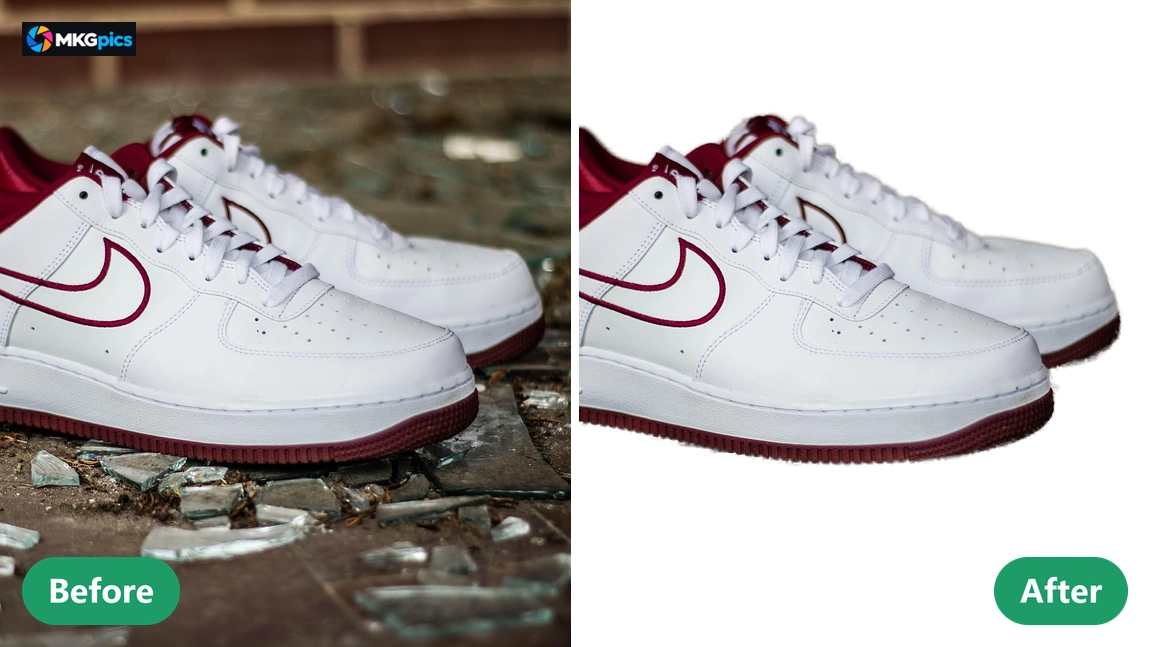
Image compositing places the cutout into another photo. Size, position, rotation and opacity are freely adjustable, so the subject sits in the right spot.
Brightness, contrast, saturation and sharpness align the cutout with the scene, so subject and new background look like one picture. The result is saved as a separate file.
Jobs That Call for Photo Cutouts
From shop images to collages, every subject is freed from its background within minutes.Shops gain uniform product pictures on white or transparent backgrounds within minutes. For portraits and application photos, the AI background remover swaps a distracting backdrop for the wanted color, so the person stands out clearly.
» Download free here
Designers and creators build posters, banners and collages from cutouts. After the cutout, the transparent PNG is ready for further work, and the separate mask serves as a selection in photo editors.
Clubs, schools and hobby photographers make invitations and group photos with a new background through image compositing. With the AI background remover every picture is edited on its own, so edges and framing fit each time. Product shots, portraits and graphics all use the same steps.
Answers on the AI Background Remover
What does the AI background remover do?
It separates subjects from the background with AI, corrects edges in the mask editor, crops to the subject and places it into other photos with image compositing.
Is the original image overwritten?
No. The cutout is saved as a new file, so the original image stays untouched next to the result.
Is a subscription needed to remove background from image AI?
No, there is no subscription and there are no ongoing costs. The program is available as a free download for the PC and runs fully on the own computer.
Who needs an AI background remover like this?
Online sellers, photographers, designers, creators, clubs, schools and hobby photographers who want subjects cut out locally without any upload.
Which profile fits when I remove background from image AI?
Standard fits typical subjects, Fine details keeps hair, fur and thin structures, and Clean edges gives products with firm outlines crisp borders.
Which output formats does the program save?
Cutouts are saved as PNG with transparency, as PNG with mask or as JPG with a chosen background color, and the original photo is never overwritten.
Does the AI background remover work offline?
Yes, the whole AI calculation runs on the own PC. No photo is uploaded, and no internet connection is needed to cut out an image.
Are edges fixable after I remove background from image AI?
Yes, the mask editor keeps or removes single areas with a brush, and undo steps back up to 30 times before the change is applied.